
Hold Ctrl + Win.
Speak. It types.
Talk naturally into any Windows app — email, chat, docs, code, terminals. Google Gemini AI turns your rambling into clean, punctuated text at your cursor. Instantly.
No card needed for the trial · no subscription, ever · 1 year of free updates
Talk. Watch it type.
Give it a go right here in your browser — press the mic and start speaking.
Press the mic and talk — or tap an example below.
This runs the app's real Google Gemini engine live — it removes filler words, adds punctuation, formats spoken lists, understands code, and can translate 30+ languages. The full app does all this straight into any Windows app.
Three moves. That's the whole manual.
Hold Ctrl + Win
A low beep tells you it's listening. Keep holding and just talk — ums, tangents, mid-sentence corrections and all.
Speak naturally
"Um, so basically tell the client we'll, uh, ship Tuesday — actually Wednesday." Say it how it comes out. The AI sorts it.
Release. Done.
Clean, punctuated text is typed straight at your cursor — in Outlook, Slack, Word, VS Code, a terminal, anywhere.
Smarter than a transcript.
It doesn't just hear you — it understands what you meant to write.
Self-editing speech
Say "meet at 2 — actually 3" and it types 3. Fillers, false starts and "you know"s vanish automatically.
Spoken lists → real lists
"First… second… third…" becomes a proper numbered list. Punctuation lands where you'd have put it.
Developer-aware
camelCase, snake_case, file paths, CLI commands and code identifiers survive intact. Built for narrating while you code.
A tone per app
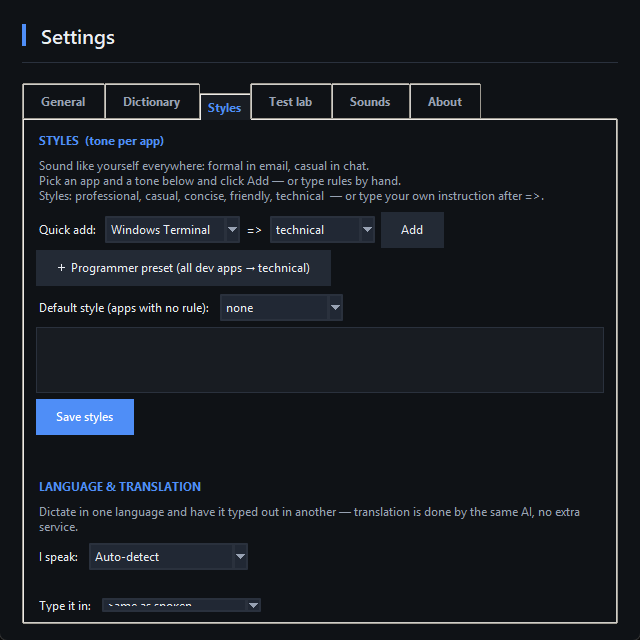
Professional in Outlook, casual in Slack, technical in the terminal — set a style per app and it just switches.
Speak any language — translate on the fly
Dictate in one language and have it typed out in another. 30+ languages, translated by the same AI — no Google Translate.
Hands-free for long sessions
Tap to start, tap to stop — no holding keys. Your words type out in live batches so you never lose a long dictation.
Your words, your shortcuts
A custom dictionary for names and jargon, plus voice snippets: say "my sign-off", get your full email signature.
History & analytics
Every dictation saved and searchable. See words per day and the hours of typing you've saved.
Transcribe recordings you already have
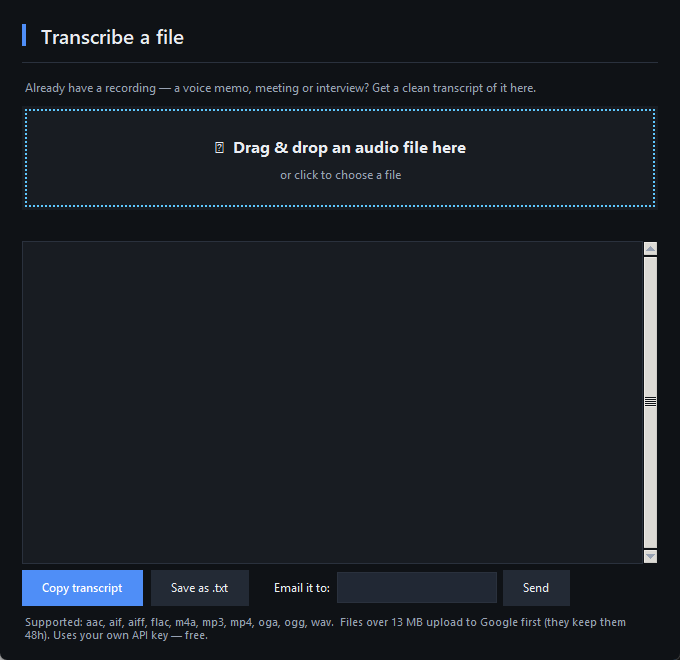
Drag & drop a voice memo, meeting or interview — get a clean, punctuated transcript with speaker labels. Rename "Speaker 1" to real names, then copy it, save it, or email it straight to yourself. Big files welcome.
Clean, modern, out of your way.
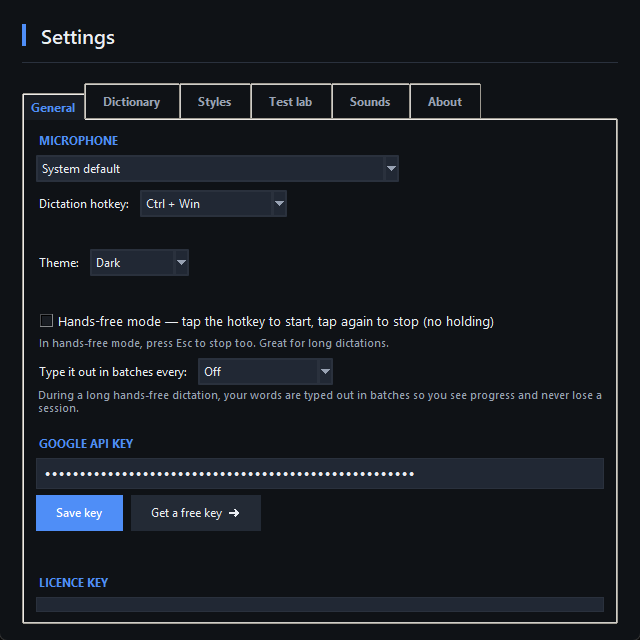
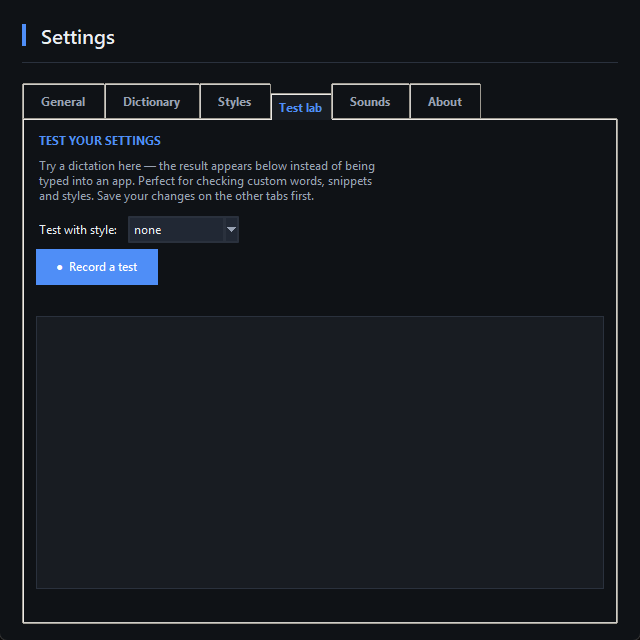
A quiet tray icon — with a sleek, tabbed interface (light or dark) when you want it.
Subscriptions are for streaming, not typing.
- Price never stops
- Cancel = lose it
- Your audio on their servers
- Own it forever
- Use it on 2 computers
- 1 year of free updates
- Your own free Google AI key — you're in control
One coffee-and-a-cake. Forever.
- Full app for Windows 10 & 11
- Licence for 2 computers
- 1 year of free updates
- All features included — nothing gated
- Instant download + licence key by email
Quick answers.
Do I need anything else to use it?
Is there really no subscription?
Which Windows versions does it support?
How does the free trial work?
Can I use it at work with a Google Workspace account?
How fast is it?
Does it work for coding?
Your keyboard just became optional.
Install it now — you'll be dictating within five minutes.